Text-to-Video: Turn Any Prompt into a 1080p Cinematic Scene
Sora 2 is a text-to-video AI model that converts a written scene description into a cinematic clip at up to 1080p resolution in under 3 minutes. Describe the location, lighting, and action — 'slow dolly-in through a neon-lit Tokyo alley at midnight' — and OpenAI's model renders physically accurate motion, depth of field, and synchronized ambient sound. On MyShell this generation is free via Azure-backed internal access.
Image-to-Video: Animate Any Photo or Artwork in Seconds
Upload a still photo or illustration and describe the motion — Sora 2 animates it into a 720p–1080p clip with realistic physics and camera movement in under 3 minutes. Ideal for turning product shots into promo videos, bringing concept art to life, or creating short cinematic sequences from reference frames.
Always-On Access via Azure & Internal Channels
OpenAI's public Sora app requires a ChatGPT Plus or Pro subscription and enforces daily generation caps. MyShell provides continuous Sora 2 access via Azure partner integration and internal infrastructure — no daily cap, no paywall, and no waitlist for 2026.
Why Choose MyShell for Sora 2 Video Generation
Always-On Sora 2 Access (No ChatGPT Plus Required)
MyShell provides Sora 2 through Azure partnership and internal infrastructure channels — available 24/7 with no ChatGPT Plus subscription ($20/month) or Pro tier ($200/month) required. Public OpenAI Sora app enforces daily generation caps; MyShell does not. (Source: OpenAI Help Center, Sora generation docs.)
Multiple Resolutions (480p / 720p / 1080p) & Up to 20 Seconds
Sora 2 on MyShell supports 480p, 720p, and 1080p output resolutions with clip durations from 5 to 20 seconds. sora-2-pro tier supports 1920×1080 and 1080×1920 aspect ratios (per OpenAI API docs, 2025). Text-to-video and image-to-video modes both available in a single UI.
Synchronized Dialogue & Sound Effects
Sora 2 is OpenAI's first model to generate synchronized dialogue and sound effects alongside the visual track (announced September 30, 2025). MyShell exposes this capability directly — describe speech or ambient audio in your prompt and Sora 2 renders it together with the video in under 3 minutes.
How to Generate Videos with Sora 2 on MyShell
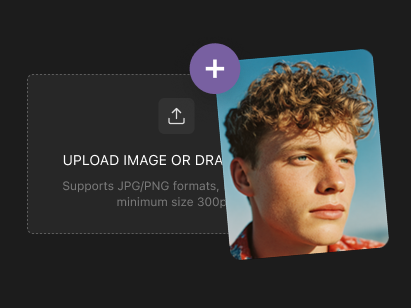
Step 1: Upload an Image or Skip to Text-to-Video
Sora 2 supports both text-to-video and image-to-video modes. For text-to-video, skip the upload. For image-to-video, upload a JPG or PNG up to 10 MB — MyShell's Sora 2 interface accepts any aspect ratio.
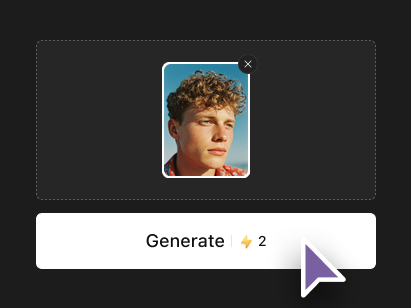
Step 2: Describe the Scene (Camera, Motion, Audio)
Write a detailed prompt covering camera movement, lighting, action, and any synchronized dialogue or ambient sound. Sora 2 renders more accurate results with explicit camera language — 'slow dolly-in', 'handheld tracking shot', 'static wide angle'. Audio cues like 'wind rustling' or 'character says hello' trigger synchronized sound generation.
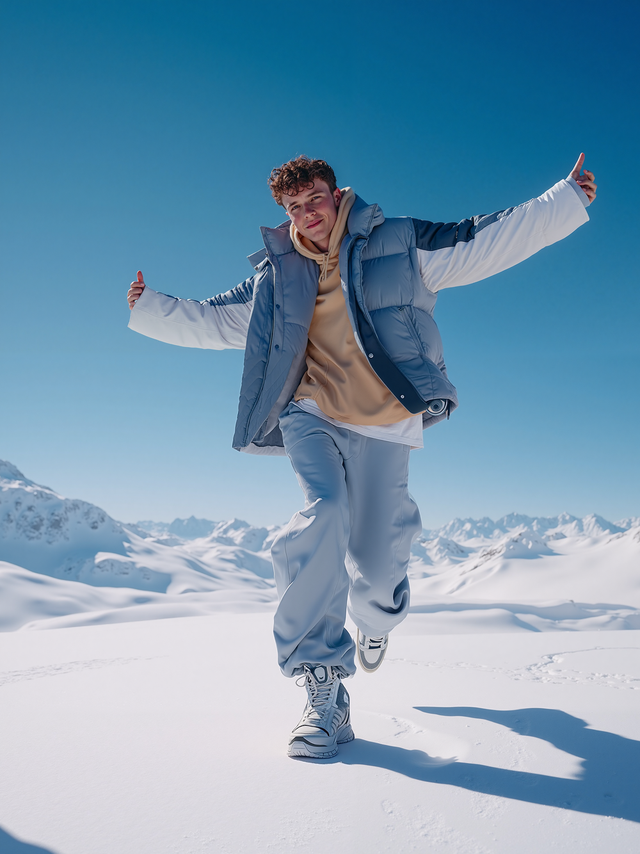
Step 3: Generate 720p / 1080p Video in 60–90 Seconds
Pick duration (5–20 seconds) and resolution (480p/720p/1080p). Sora 2 on MyShell renders the clip in under 3 minutes on average. Download as MP4 with no watermark; regenerate or refine the prompt to iterate.