Text-to-Video: Generate Cinematic Clips from a Description
Type a scene description and Seedance 2.0 generates a 720p video clip with cinematic composition, accurate lighting, and natural physics-based motion in under 3 minutes. The model understands director-level camera instructions in text form ('dolly zoom on subject', 'orbit left 90 degrees', 'handheld tracking shot'). Output clips are 3–8 seconds at 720p, ready for social media, brand content, and video storyboarding.
Image-to-Video: Animate a Photo with Physics-Accurate Motion
Upload a still image as a visual starting point and Seedance 2.0 generates a continuation video with physics-accurate object and character motion. The model infers real-world motion constraints — fabrics move with wind physics, water surfaces ripple realistically, and human movement follows natural biomechanics. Ideal for product animation, portrait videos, and concept art storyboarding.
Audio-Referenced Video: Match Visuals to Sound
Upload an audio file (music, voiceover, sound effects) and Seedance 2.0 generates a synchronized video clip where the visual motion, beat, and energy match the audio timeline. The multimodal audio-video joint architecture renders audio and video simultaneously rather than dubbing a pre-rendered clip — producing tighter audio-visual synchronization than traditional post-production tools. Ideal for music video teasers, podcast content, and audio-driven brand ads.
Why Creators Choose Seedance 2.0 on MyShell
Native Audio-Video Joint Generation (Not Dubbed)
Seedance 2.0 uses a unified multimodal audio-video joint generation architecture (ByteDance, 2026) that renders audio and video simultaneously from the same generation pass. This is fundamentally different from dubbing-based approaches (Sora, Gen-4, Kling) where audio is added to a pre-rendered video. Native joint generation produces tighter audio-visual synchronization — especially for music videos and audio-driven content where beat alignment matters.
Director-Level Camera Controls in Text
Seedance 2.0 understands precise cinematography instructions written in text: 'dolly zoom', 'orbit left 90 degrees', 'handheld tracking shot', 'static locked-off wide angle'. Runway Gen-4 and Kling AI require manual camera control UI; Seedance 2.0 executes director-level camera work from a plain text prompt. Output is 720p at 24fps, 3–8 seconds per clip, rendered in under 3 minutes.
Free on MyShell: No Cap, No Watermark
Seedance 2.0 via fal.ai API costs $0.05–0.12 per second of generated video. Runway Gen-4 is $15/month for 625 credits (~25 video clips); Kling AI is $9.99/month for 660 credits. MyShell offers free Seedance 2.0 generation with no subscription, no watermark, and no daily clip cap for standard users.
How to Generate Videos with Seedance 2.0
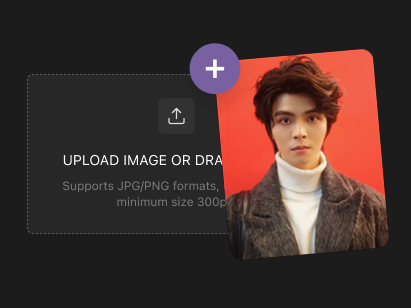
Step 1: Choose Your Input Mode
Select text, image, or audio as your input. For text-to-video, write a scene description with camera direction (e.g. 'tracking shot of a person walking through a forest, morning fog, cinematic lighting'). For image-to-video, upload a JPG/PNG up to 10 MB. For audio-to-video, upload an MP3/WAV up to 20 MB.
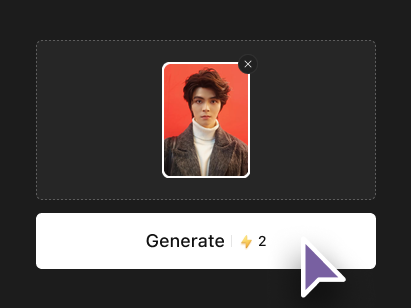
Step 2: Seedance 2.0 Generates Your Clip
The unified multimodal architecture processes your input and generates audio and video simultaneously in one pass. Physics-accurate motion simulation and director camera controls are applied automatically based on your text prompt. No manual camera path configuration or post-production audio sync needed.
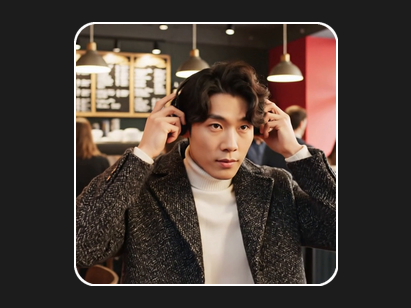
Step 3: Download 720p Video in 30–60 Seconds
Your 3–8 second 720p MP4 clip is ready in under 3 minutes. No watermark, no subscription, no daily cap. Download immediately for direct use in social media, presentations, or video editing timelines.